
Subtotal $0.00
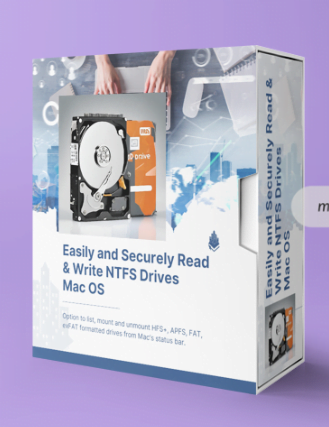
We know that the NTFS file system built into Mac cannot write NTFS drives by default, it can only read NTFS drives. Hasleo NTFS for Mac is a free software primarily designed to help users full access to NTFS drives in Mac, with it you can mount, unmount, read and write NTFS drives easily, safely and seamlessly in macOS.
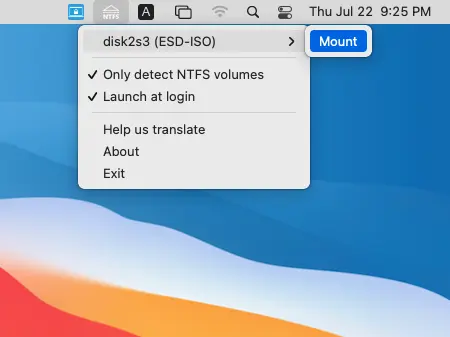
Mount & Unmount NTFS Drives From Mac’s Status Bar
Hasleo NTFS for Mac is an application that resides in the Mac’s status bar which helps you quickly and easily mount or unmount the NTFS drives from Mac’s status bar.
By default, Hasleo NTFS for Mac only lists NTFS drives. You can uncheck the “Only detect NTFS volumes” option to list HFS+, APFS, FAT, exFAT formatted drives, after that you can mount, open or unmount them just like you operate NTFS drives.
Full Read & Write NTFS Drives as Access Native Mac Drives
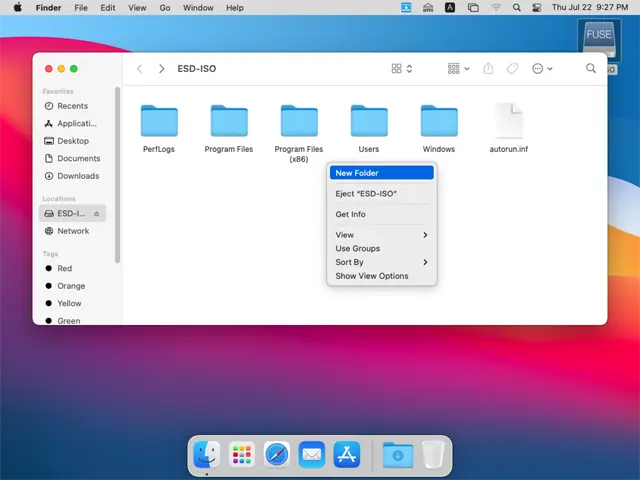
After a NTFS drive is mounted with Hasleo NTFS for Mac, you can read and write the NTFS drive as you read and write to a native Mac drive, so you can easily exchange files between Windows and Mac using Microsoft NTFS-formatted removable storage devices.
Notes: If an NTFS volume has been automatically mounted by Mac as read-only, you need to eject it and then re-mount it using Hasleo NTFS for Mac before you can full read-write access to it.